Start free

A knowledge base that learns for you

Save to know, not to read.

Everything you save becomes your knowledge base. KnowMan learns it for you, so you do not have to. Then you, Claude, Codex and your own AI agents can ask it, and act on it.

Every new account starts with 14 days of Pro. No credit card.

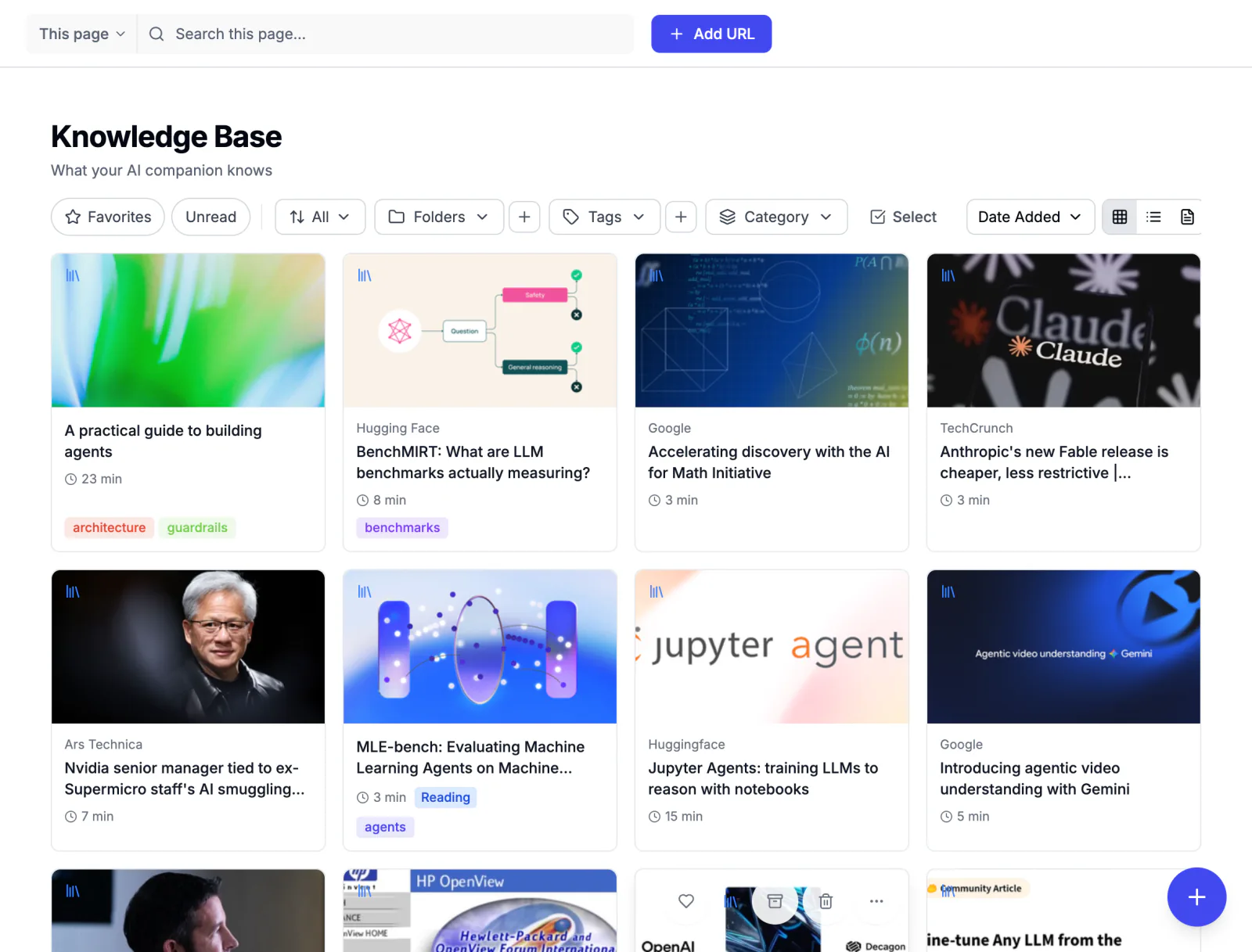
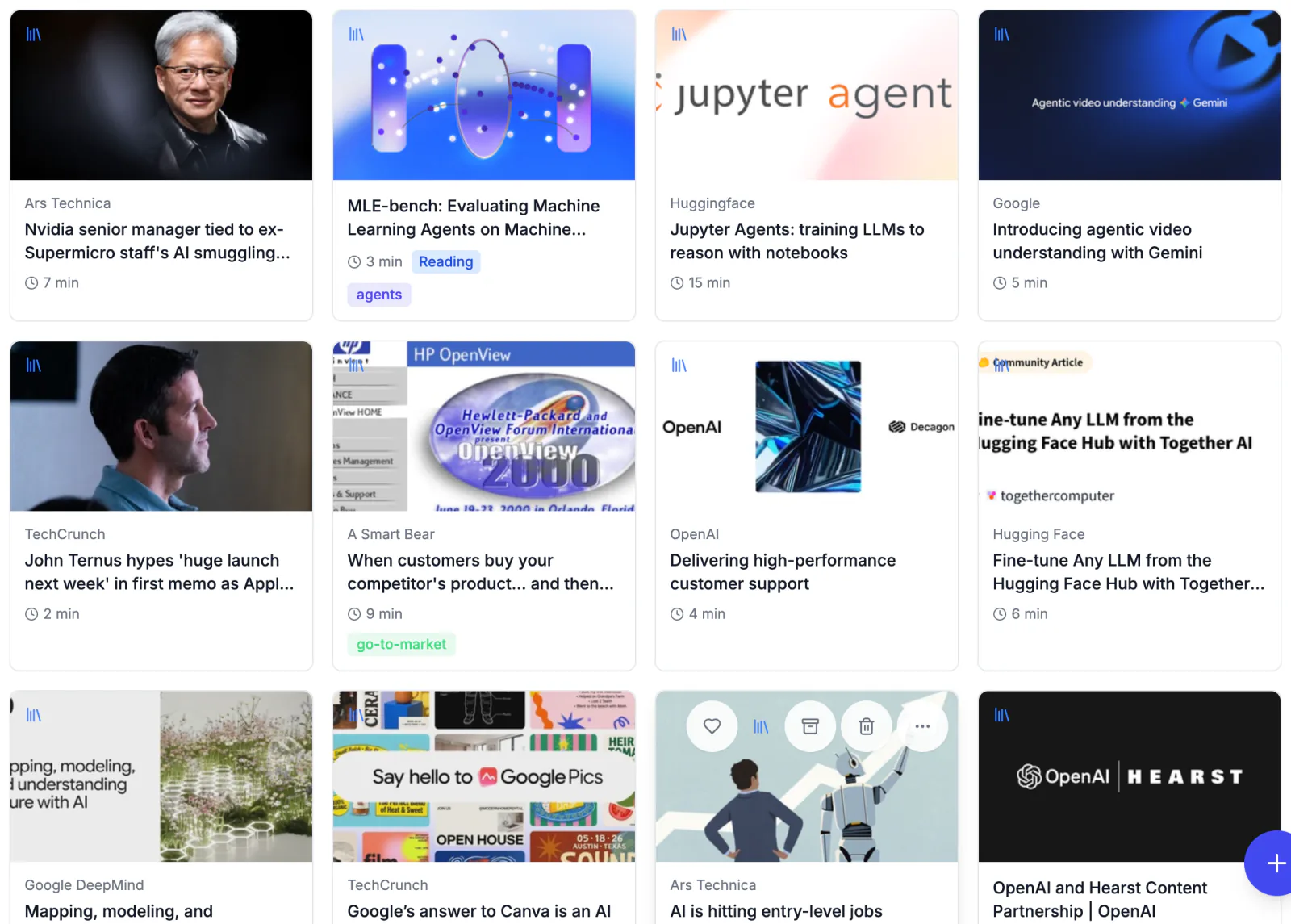
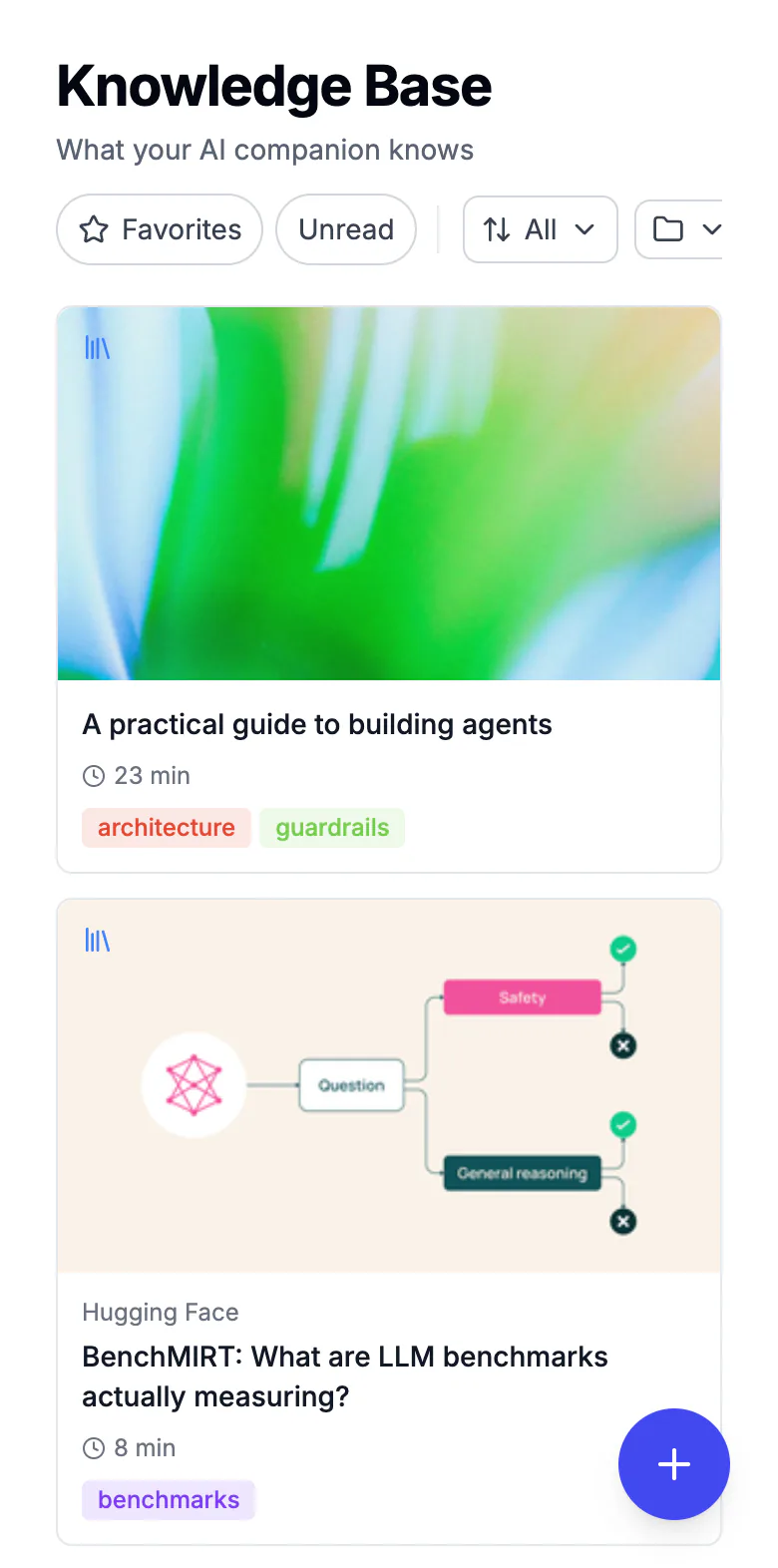
The KnowMan Knowledge Base: saved articles as image cards with their source, reading time and tags.
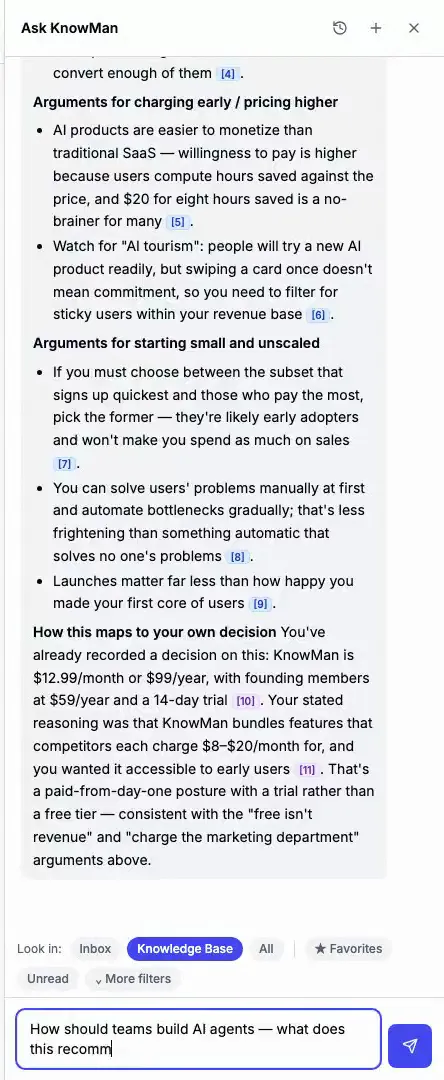
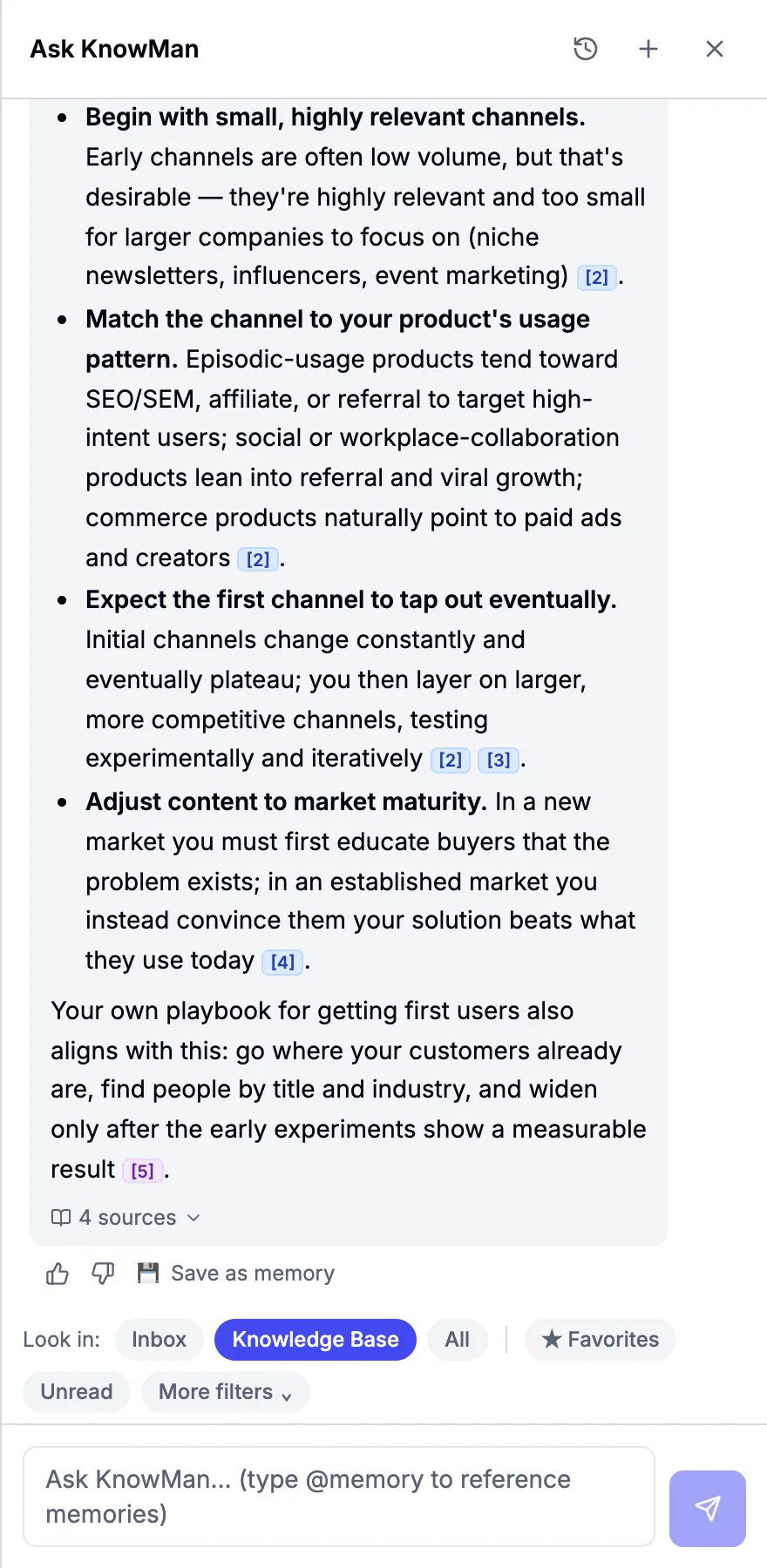
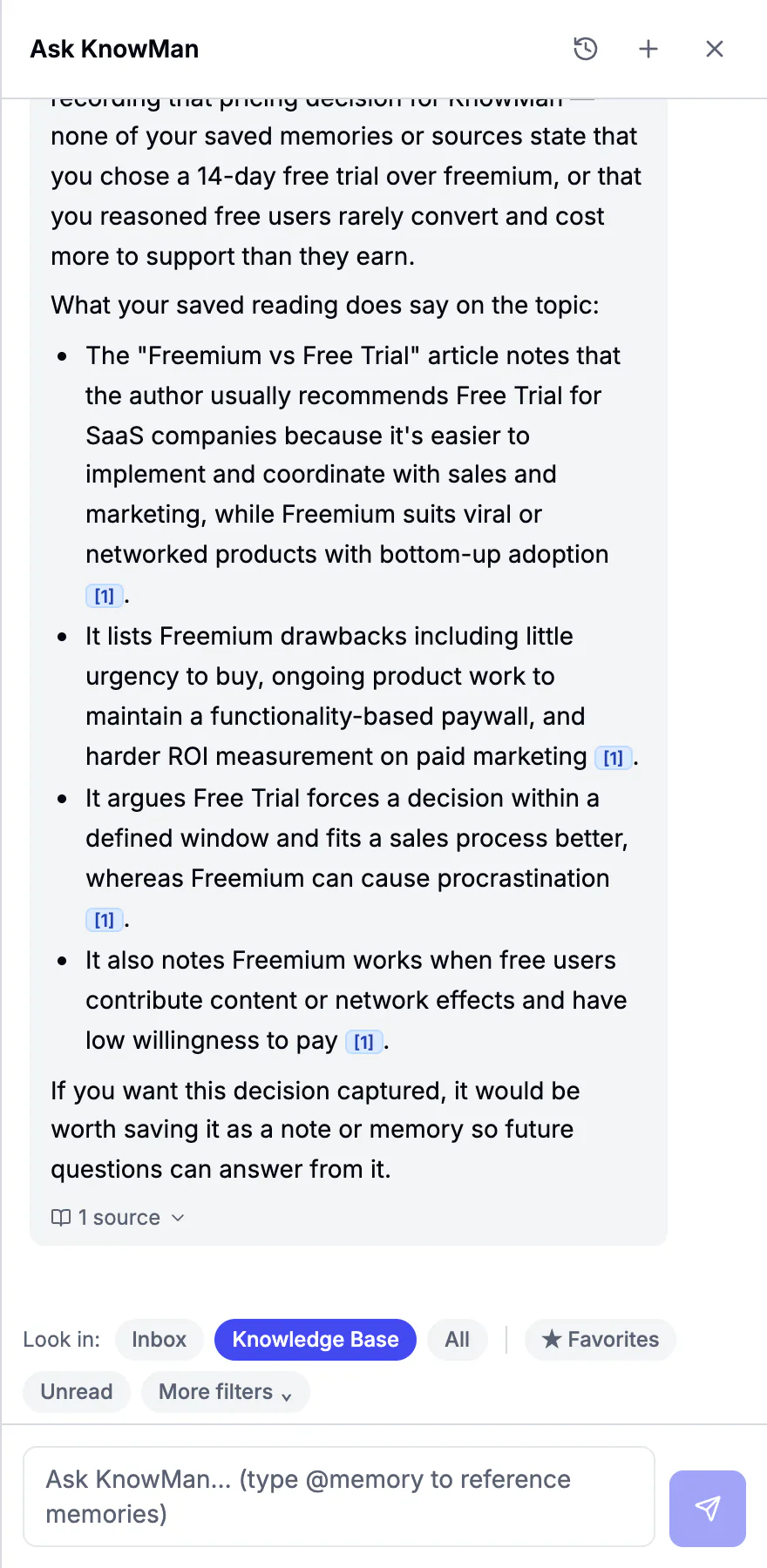
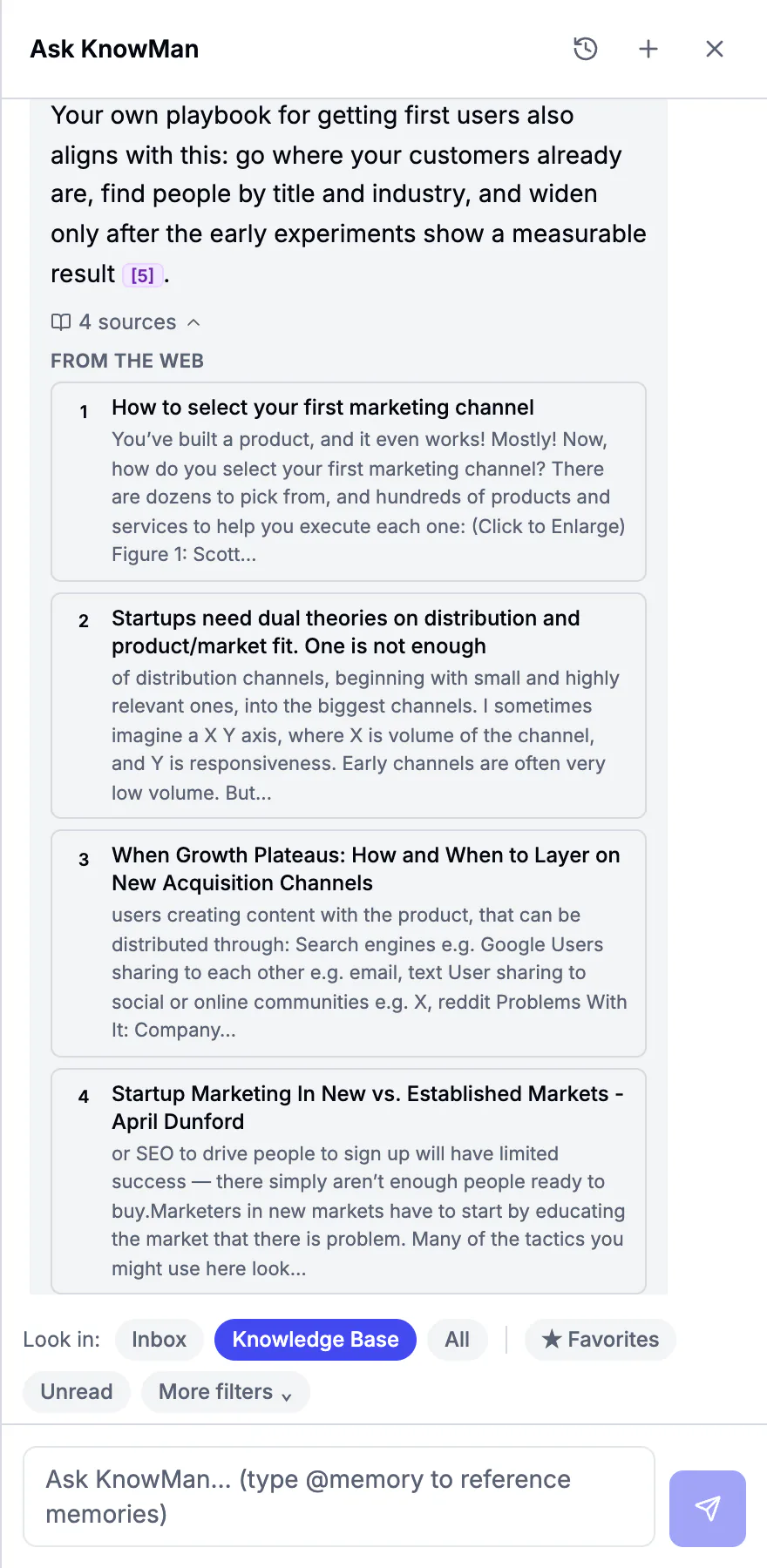
The Ask KnowMan panel: a question is asked, KnowMan searches the knowledge base, and a cited answer appears with its sources.

Built for you and your agents

It learns for you. Your agents act on it.

Your knowledge base is not just for you to read. An MCP-compatible agent with the right permissions can search it, read your decisions and playbooks, ask it questions, and save new links to it.

  • Claude
  • Codex
  • Cursor
  • Your own agents

Works with Claude Desktop, Claude Code, Cursor and other MCP-compatible agents.

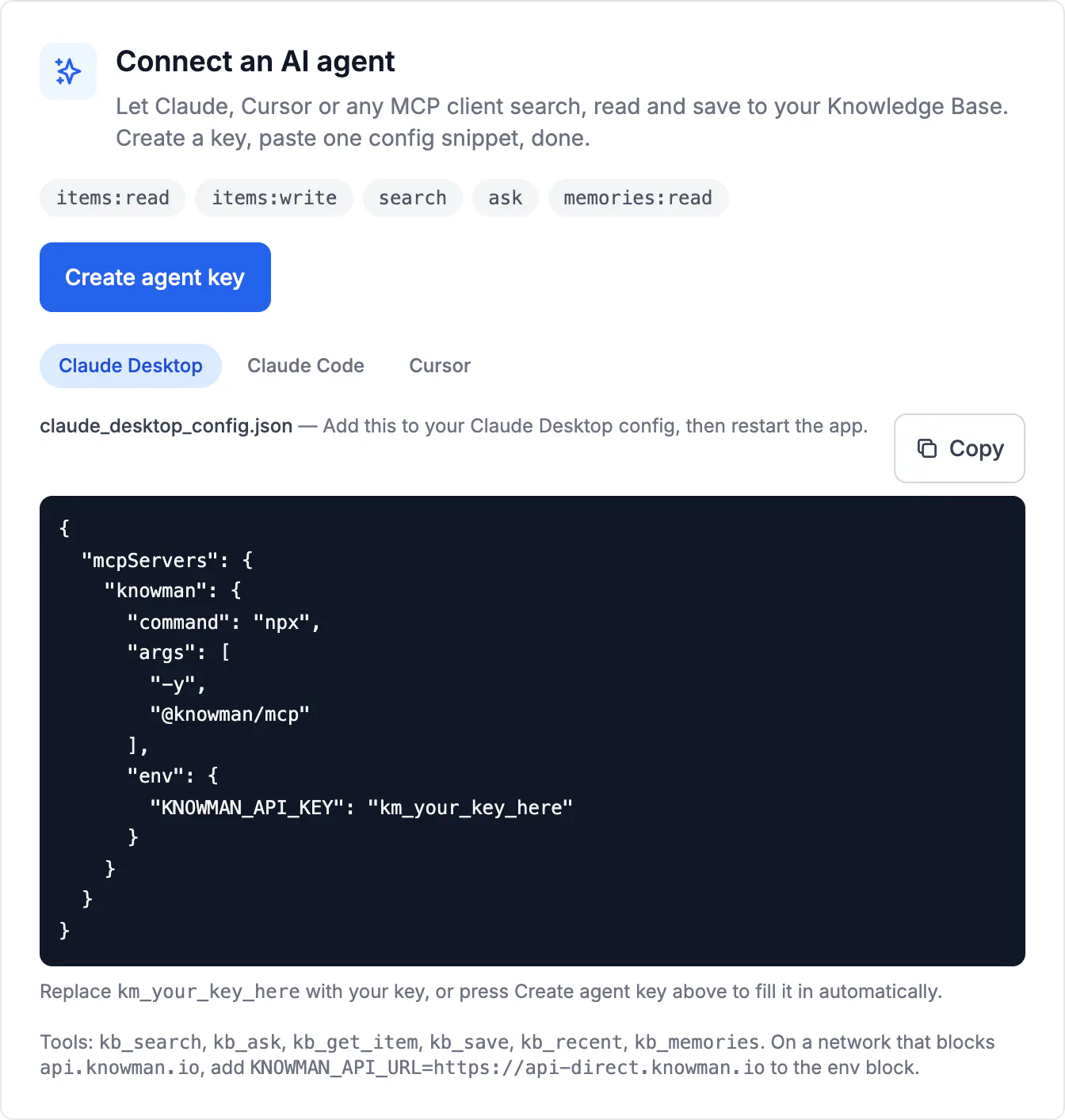
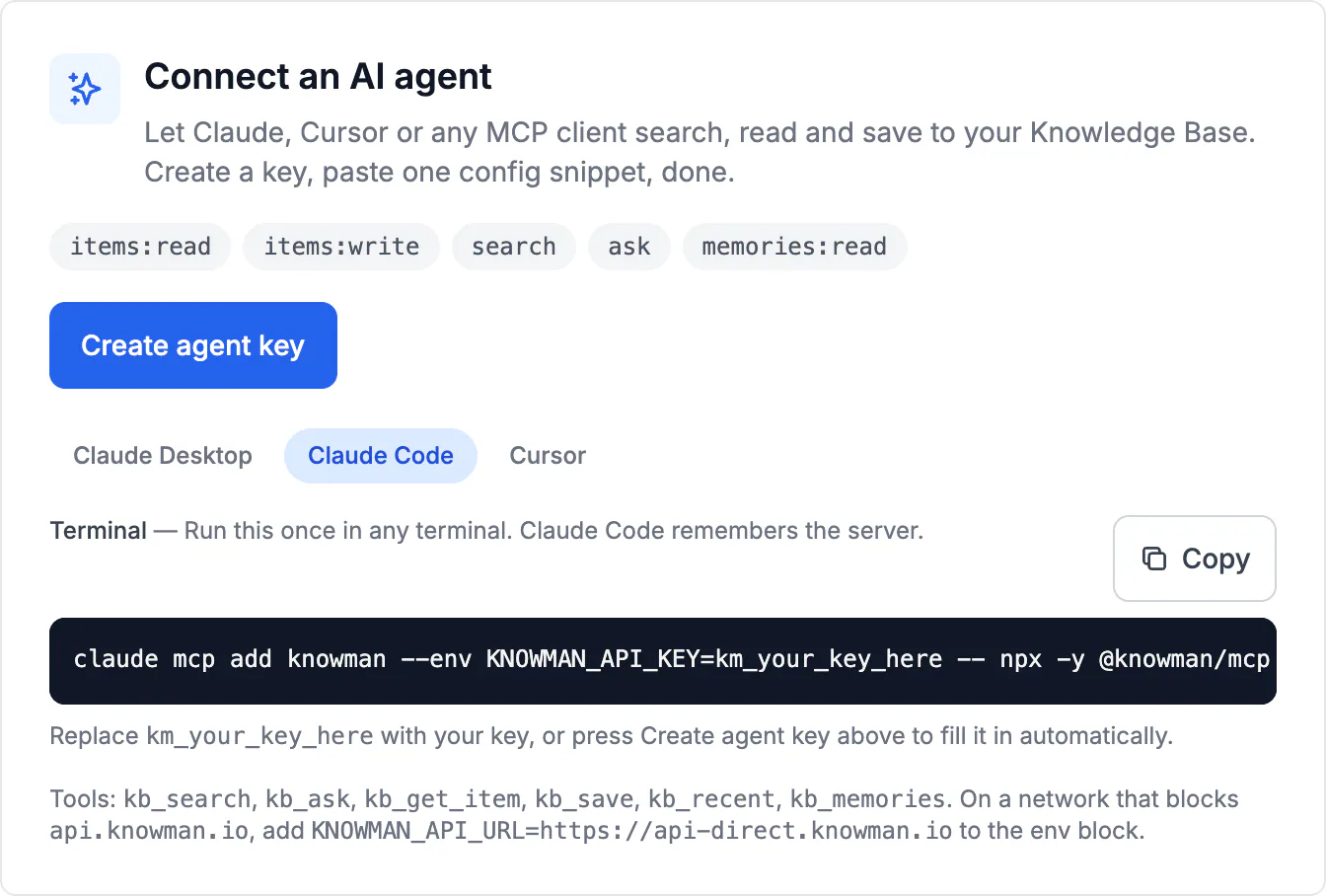
Connect an AI agent in KnowMan Settings: permission scopes, Create agent key, and the Claude Desktop config with the KnowMan MCP server.
A real answer from Claude, using KnowMan

Using my KnowMan knowledge base, what pricing did I decide on for KnowMan, and why?

Your decision

Price: $12.99/month or $99/year. Founding members pay $59/year. There is a 14-day trial.

Your reasons:

  • You researched competitors.
  • KnowMan offers the features of many products that each cost $8–20/month.
  • You wanted it accessible to early users, so you chose $12.99.
  • One knowledge base, every agent

    Claude, Codex, Cursor and your custom agents all read the same knowledge, so you can reduce repeated briefing when the agent retrieves the right context.

  • Playbooks your agents can read

    Write a playbook once in KnowMan. Connected agents can read it, so you can ask them to follow the approach you recorded.

  • Decisions with their reasons

    Agents see what you decided and why, next to the reading behind it, so their work starts from your thinking.

Not available yet Next: your company’s agents and your co-workers’ agents, on one shared knowledge base. Team plans are not available yet.

See how agents connect

Things pile up. KnowMan turns them into your knowledge base.

Every article, newsletter and feed you save is read in full, organized and kept with its source, ready to answer you and your agents.

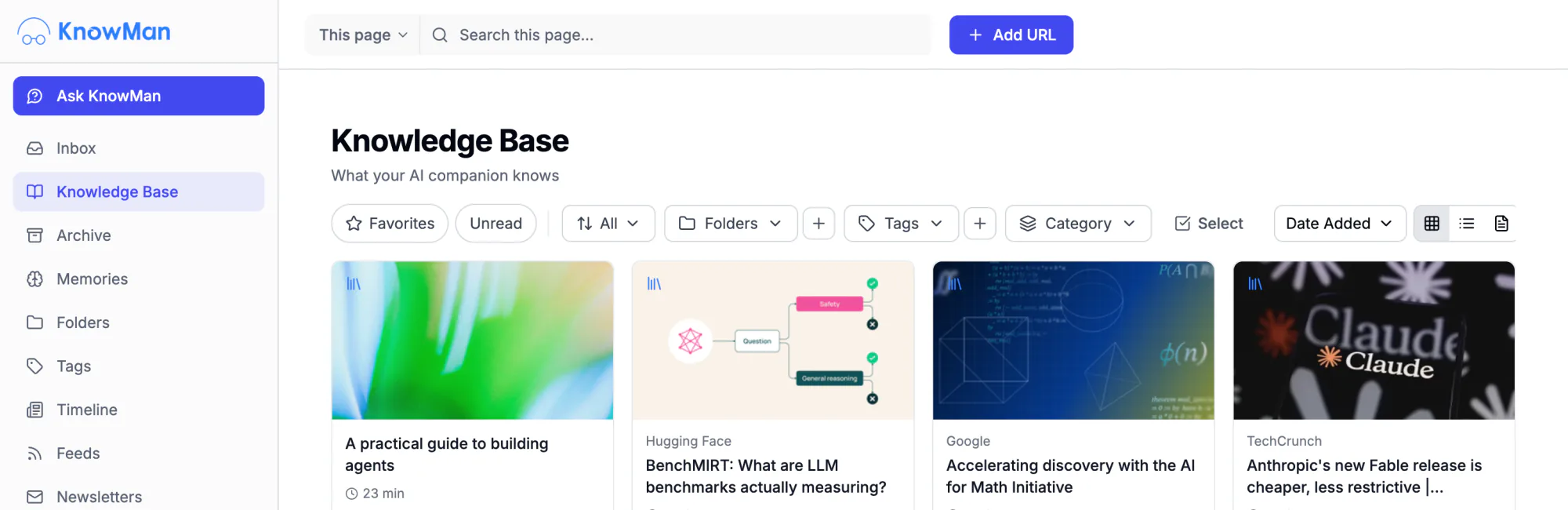
The KnowMan app: the sidebar with Inbox, Knowledge Base, Memories, Folders and Tags, beside the Knowledge Base grid of saved articles.

The problem

You've spent hundreds of hours reading. Most of it is already gone.

  1. You saved it. You'll never find it again.

    You bookmarked it for a reason: a stat, an argument, an idea that felt important. Later, it's buried under other saves you'll never open.

  2. The article you need is one you already read.

    You're writing something and you know you saved the perfect reference. You can't find it. You end up with a weaker version of what you know you had.

  3. You remember reading it. You can't prove you did.

    In a meeting, a draft, a conversation: you know you read something relevant. But you can't produce it. The knowledge is in your head, orphaned from its source.

How it fits your day

Three steps. Then it's just asking.

  1. Saved articles in the KnowMan Knowledge Base, each with its image, source and reading time.

    Save what you read

    Install the extension, then save what you read. Save anything with one click, or bring in supported Pocket, Instapaper or Omnivore content.

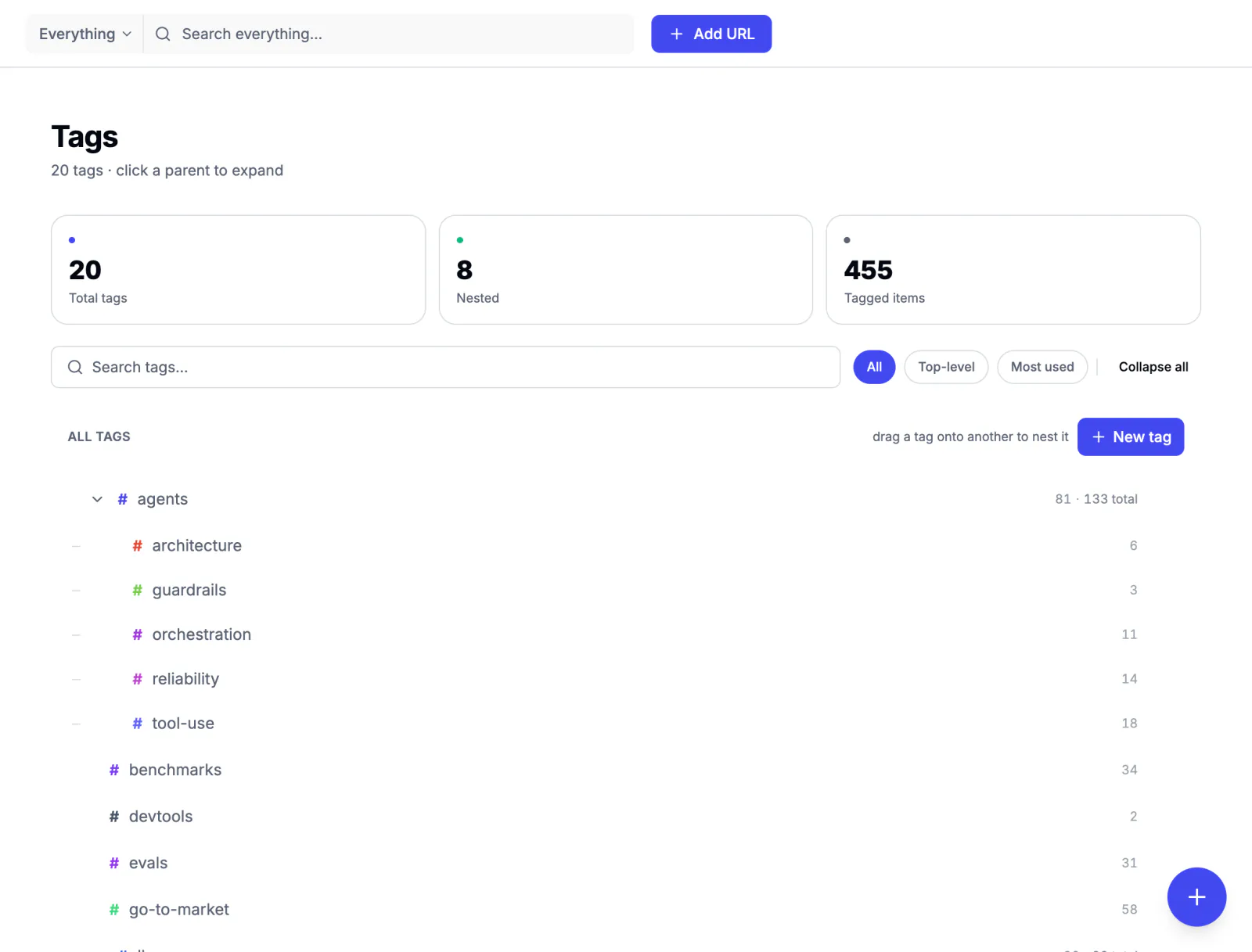
  2. KnowMan Tags: a nested tag tree, agents with architecture, guardrails, orchestration, reliability and tool-use under it.

    It organizes itself

    Articles tag themselves automatically. Search saved text, highlights and notes, or search by meaning on Pro.

  3. An Ask KnowMan answer on choosing a first marketing channel, each point with a numbered citation.

    Ask and discover

    Ask questions about your saved reading. Get answers sourced from your reading, not the internet's.

What happens when you stop forgetting what you read?

One real decision, start to finish: how we priced KnowMan, using KnowMan. These are real screens and real articles.

1. Save

One click. No promise to read it.

Save from the browser extension or the web app, or bring your Pocket, Instapaper or Omnivore library. KnowMan reads the full text, so you do not have to.

  • Saved article card: A practical guide to building agents, 23 min, tagged architecture and guardrails
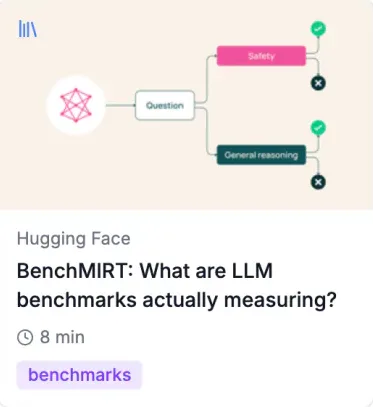
  • Saved article card from Hugging Face: BenchMIRT, what are LLM benchmarks actually measuring?, 8 min
  • Saved article card from Google: Accelerating discovery with the AI for Math Initiative, 3 min
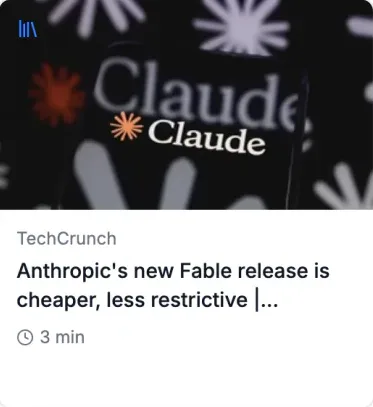
  • Saved article card from TechCrunch: Anthropic’s new Fable release, 3 min
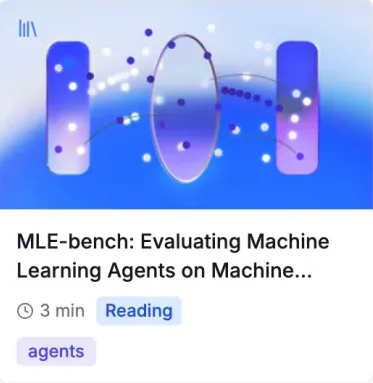
  • Saved article card: MLE-bench, evaluating machine learning agents, 3 min, tagged agents
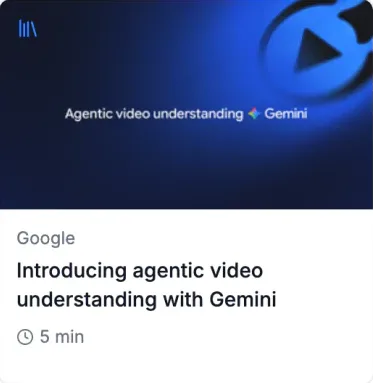
  • Saved article card from Google: Introducing agentic video understanding with Gemini, 5 min
The KnowMan Knowledge Base: every saved article as an image card, with filters for favourites, unread, folders and tags.

2. Ask

Ask your knowledge base.

Ask questions about your saved reading. Answers come from your reading, not the internet's, and can cite the saved sources they use, so you can inspect the evidence.

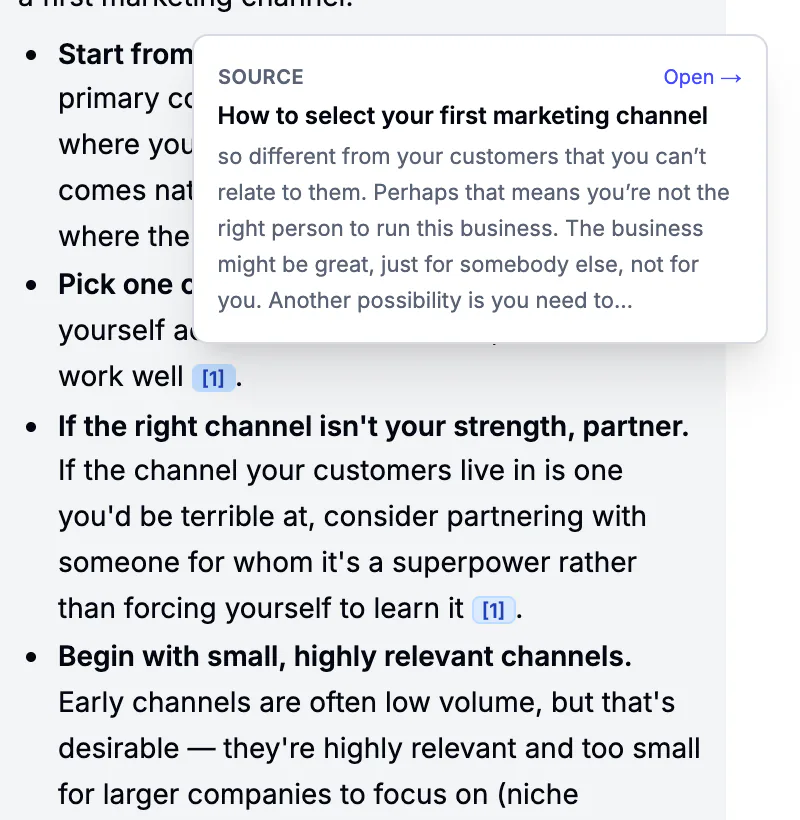
Hovering a citation in an answer shows its source: the saved article How to select your first marketing channel, with the passage it came from.

3. Remember

Keep the decision and the reasoning.

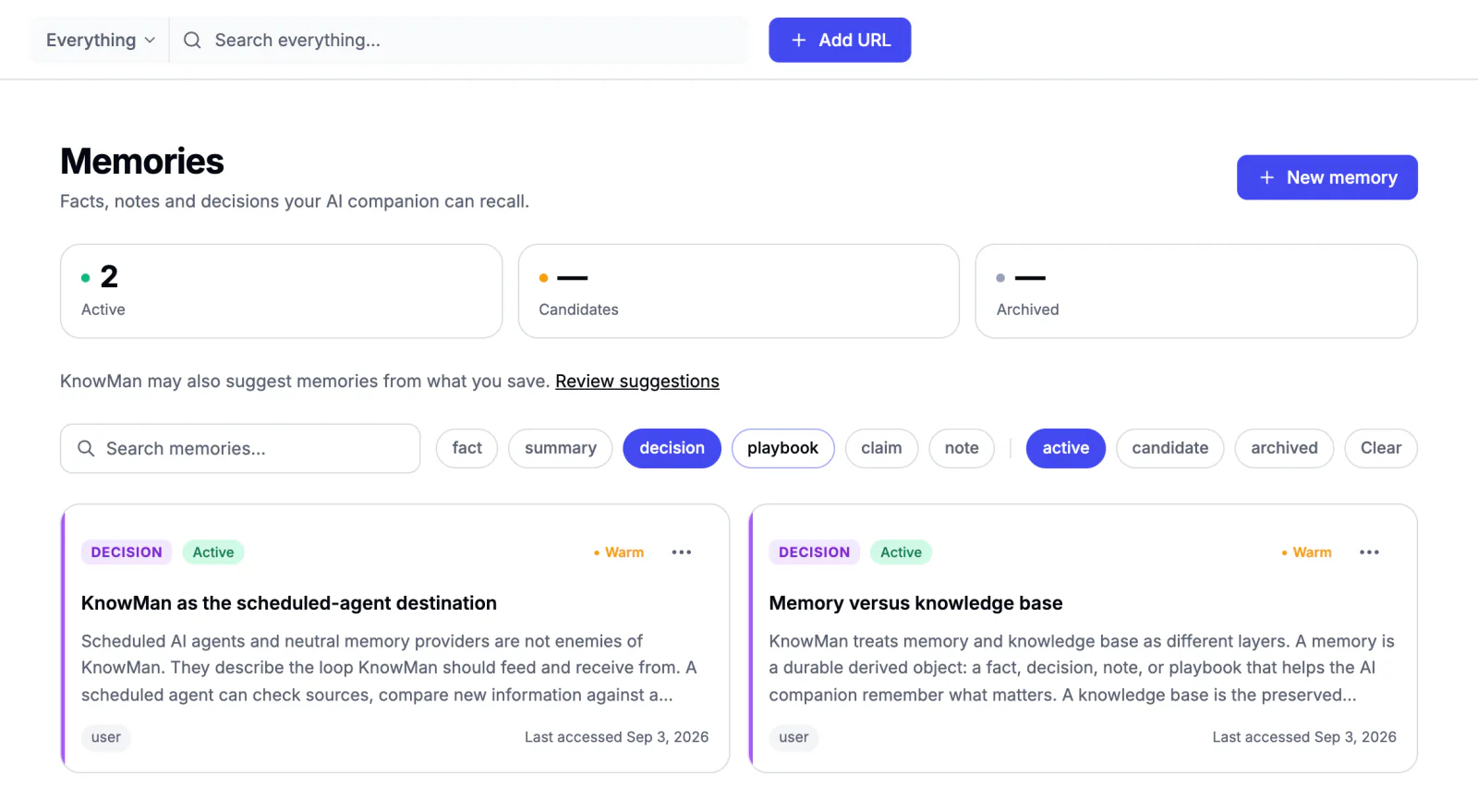
Memories store what you decided and why, next to the reading behind it.

KnowMan Memories filtered to decisions: two active decision cards, each with its reasoning and when it was last used.
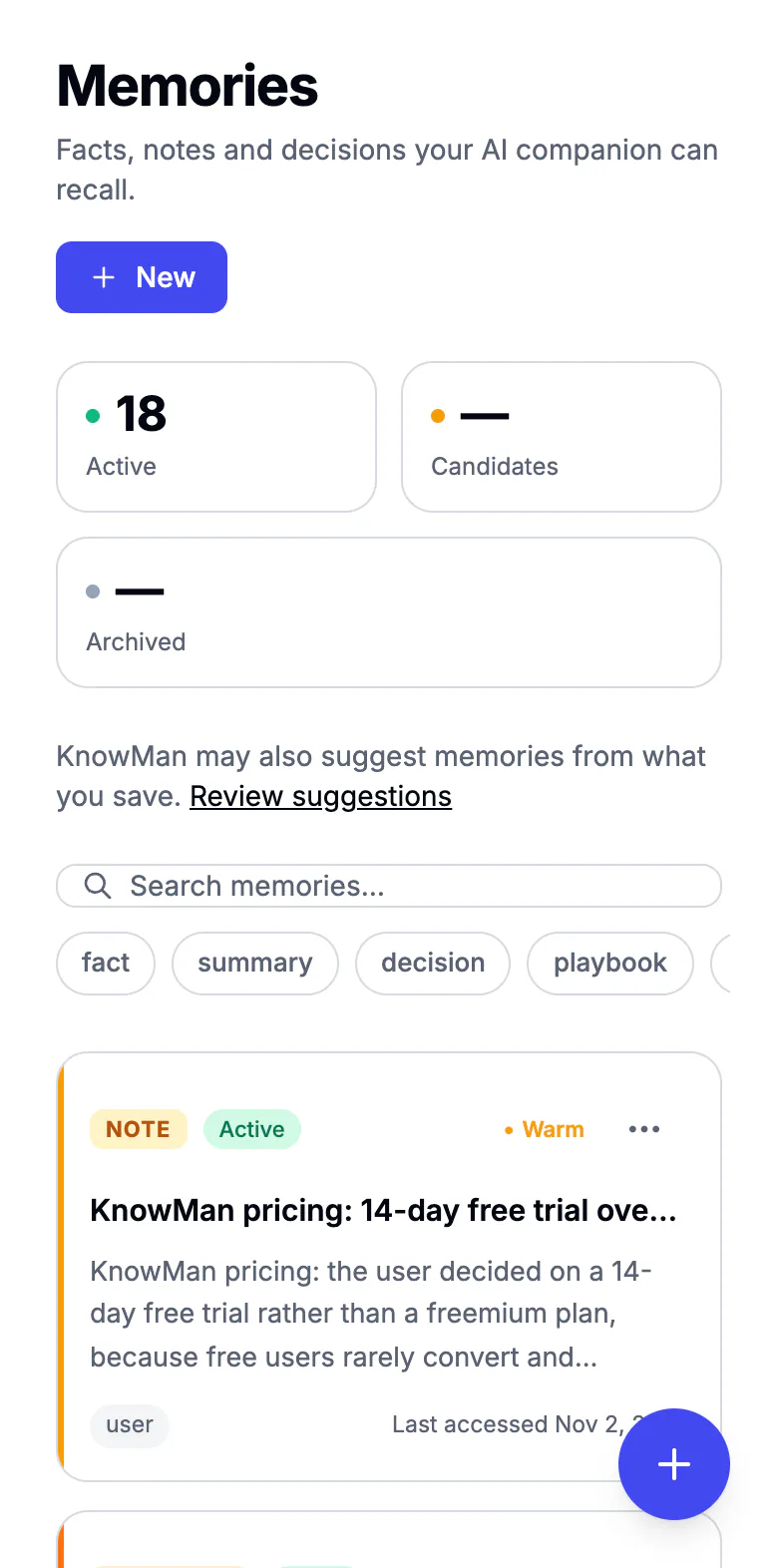
KnowMan Memories on a phone, with counts and the first memory card.

4. Use it anywhere

Your agents already know.

Connect Claude, Codex, Cursor or your own agents. They can search your knowledge base, read your decisions and playbooks, and act on them.

Connect an AI agent in KnowMan Settings: scopes, Create agent key, and the one-line Claude Code command that adds the KnowMan MCP server.
A real answer from Claude, using KnowMan

Using my KnowMan knowledge base, what pricing did I decide on for KnowMan, and why?

Your decision

Price: $12.99/month or $99/year. Founding members pay $59/year. There is a 14-day trial.

Your reasons:

  • You researched competitors.
  • KnowMan offers the features of many products that each cost $8–20/month.
  • You wanted it accessible to early users, so you chose $12.99.

Capture it without breaking your flow

Save any article or page from your browser. Bring your existing library from Pocket, Instapaper, Omnivore, Readwise or Wallabag. Every source flows into one library.

  • Works in Chrome
  • Bring your library from Pocket, Omnivore and more
  • Articles organize themselves
  • Save as much as you want
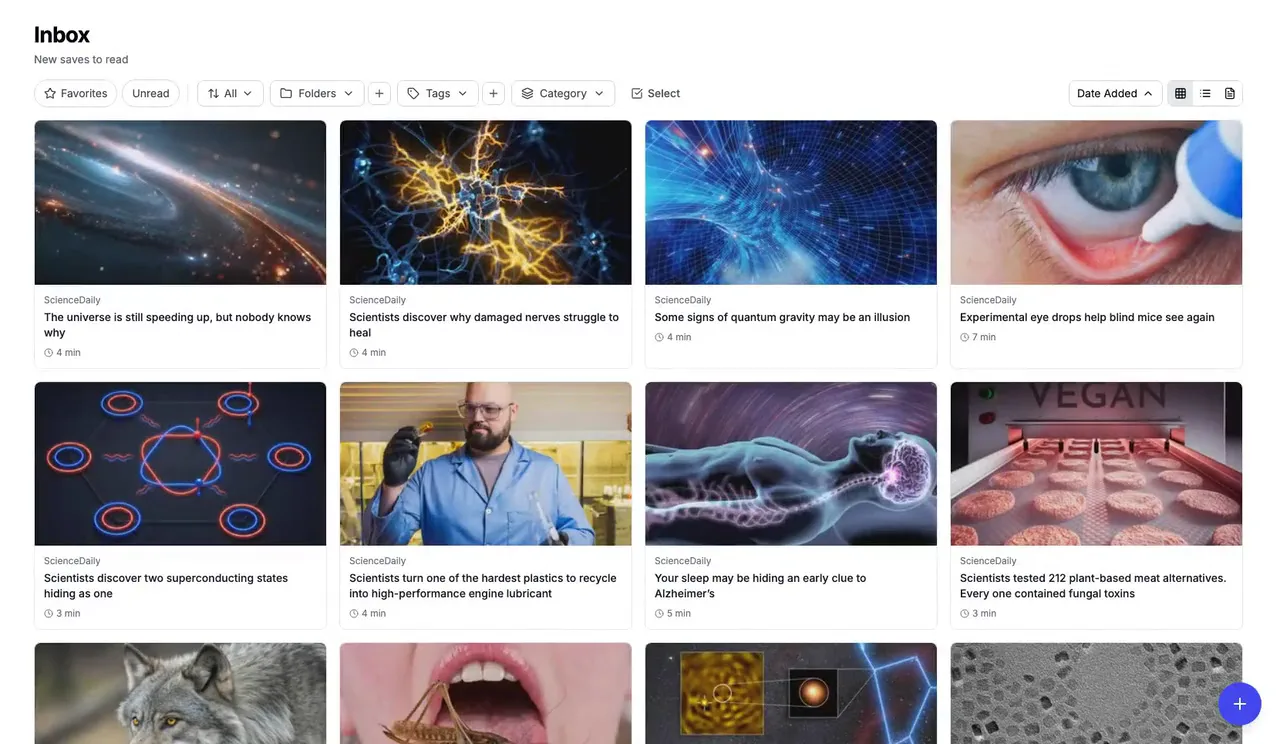
The KnowMan Inbox: saved articles in a grid, each with its image, source and reading time.
KnowMan on a phone: the Knowledge Base as a list of saved article cards.

Your past reading, ready to answer questions

KnowMan reads everything you save. Ask in plain language and get answers with citations from your own articles, not random internet results.

  • Answers cite your sources
  • Click any citation to check it
  • Articles organize themselves
  • Gets more useful as your library grows
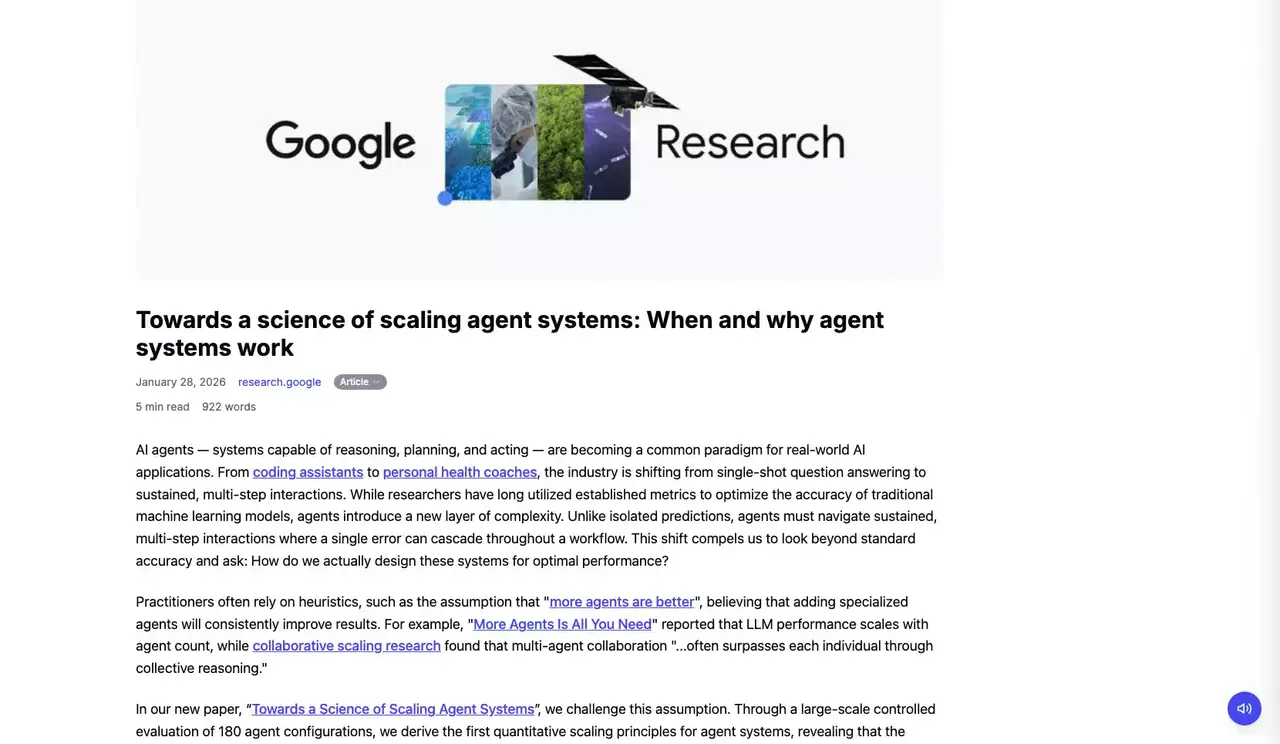
A cited source open in the KnowMan reader: the saved article an answer came from.
The sources list under an answer, expanded: four numbered saved articles, each with the passage used.

Find ideas you forgot you had

Search saved text, plus your highlights and notes. On Pro, search by meaning finds articles even when you can't remember the exact words.

  • Search saved text by keyword
  • Search your highlights and notes
  • Search by meaning on Pro
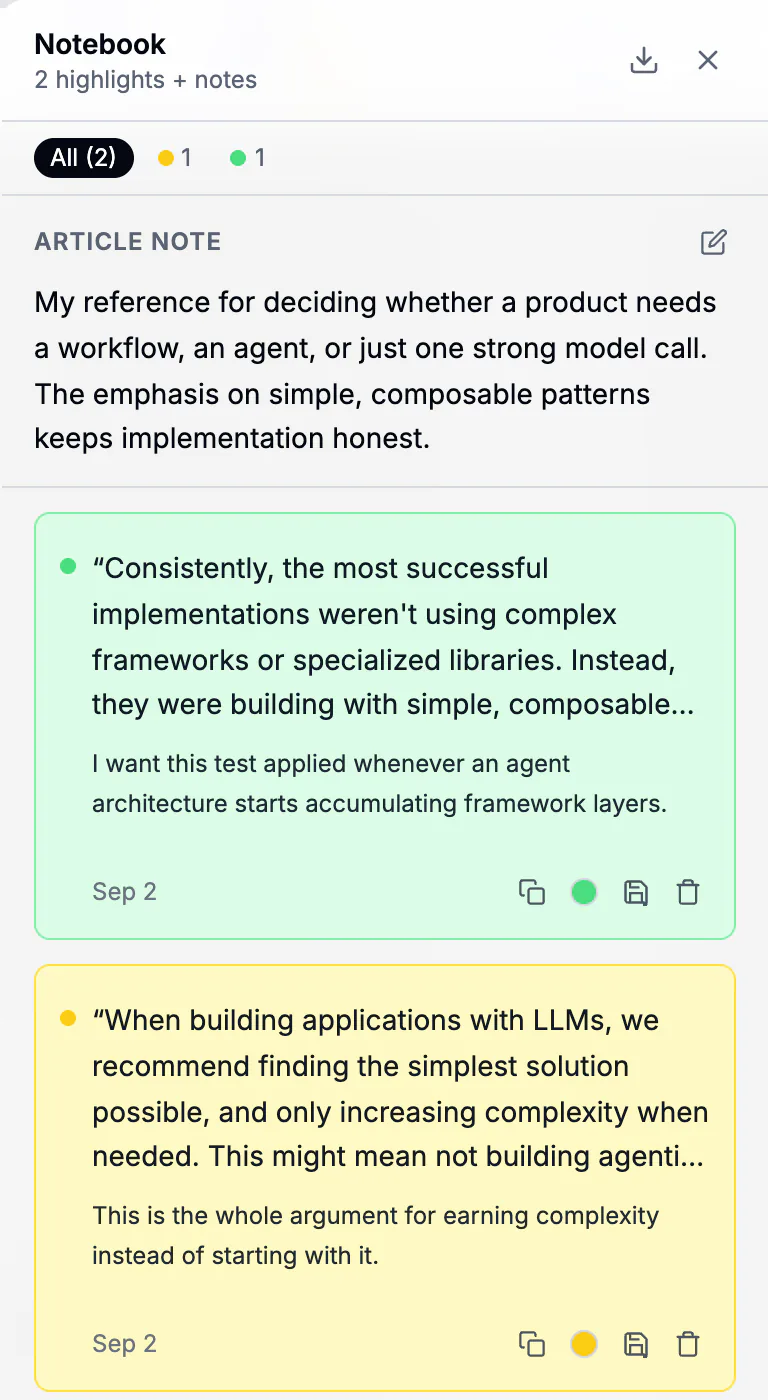
The Notebook panel beside an article: an article note and colour-coded highlight cards with notes.

Coming from Pocket or Omnivore?

Bring your supported library over, then verify representative articles and tags after import. Then start asking it questions.

  • Pocket
  • Instapaper
  • Omnivore
  • Readwise
  • Wallabag
  • Browser bookmarks

Where this is going

Today, what you know. Next, what your whole team knows.

We are starting with one person and one knowledge base. We are building KnowMan to become the AI knowledge base for teams and companies, so what one person learned and decided stays available to everyone.

  • One shared library

    What one person saved, the whole team can ask.

  • Shared decisions

    What was decided and why, kept for everyone.

  • In every assistant

    The same knowledge in Claude, Cursor and any MCP client.

Team plans are not available yet.

Simple pricing. Powerful from day one.

Every new account starts with 14 days of Pro. No credit card. After that, keep the Free plan or upgrade.

Pro billing

Free

$0 forever

Start free
  • Save as much as you want
  • Search saved text
  • Articles organize themselves
  • Highlight and annotate without limits
  • Save from your browser
  • Bring your existing library
  • Ask 5 questions a day about what you've read
  • Memories and AI assistant connection

ProMost popular

$12.99 a month

$99 a year

Or $99 a year. Founding members: $59 a year for the first 500, locked in for life.

Start your 14-day trial
  • Everything in Free
  • Ask without the daily limit
  • Search by meaning
  • Rules that sort articles for you
  • Subscribe to sites and newsletters
  • AI article summaries
  • Export to Obsidian and Logseq
  • Export articles as EPUB
  • API access
  • Priority support

Things people wonder before they start

Something else? Contact us.

How is this different from Pocket or Instapaper?

Pocket has shut down, and Omnivore's hosted service has ended, though its software can be self-hosted. Read-it-later tools save articles; KnowMan also understands them. Articles organize themselves, you can ask questions about what you saved, and you can keep your decisions. You can bring supported Pocket or Omnivore content into KnowMan and check representative items after import.

Do I have to read what I save?

No. KnowMan reads the full text, so you can ask about an article you never opened.

Does the AI actually read my articles?

Yes. When you save an article, KnowMan reads the full content, not just the title, so answers can draw on specific passages, data points and arguments.

How is this different from just asking ChatGPT?

A general chatbot answers from its training data and the web. KnowMan answers from the articles you chose to save, and cites them so you can check.

Can I use it from Claude or Cursor?

Yes. KnowMan has an MCP server. Copy the setup from Settings into Claude Desktop, Claude Code, Cursor or any MCP client.

Is my data private?

Your knowledge base is yours. You can export or delete it at any time. We do not sell your data. Saved text is sometimes sent to third-party AI providers to power features such as summaries and answers, and our privacy policy names them. We do not use your content to train our own models.

What browsers are supported?

The extension works in Chrome today. The web app works in any modern browser, including on mobile.

Can I import from Pocket, Instapaper, or Readwise?

Yes. Bring your library from Pocket, Instapaper, Omnivore, Readwise and Wallabag, or a browser bookmarks file. Check representative items after import.

How accurate is the AI?

Answers include citations from your library where they apply. You can click through to the original article to check any claim, because answers come from content you saved and trusted.

How does the free trial work?

Every new account gets 14 days of Pro, with no credit card. When it ends you stay on Free and keep everything you saved.

Can I cancel anytime?

Yes, no contracts. Downgrade to Free anytime and keep all your saved articles.

You already read the right things. Now get something back from them.

Start free

14 days of Pro free • No credit card • Import from Pocket, Omnivore and more

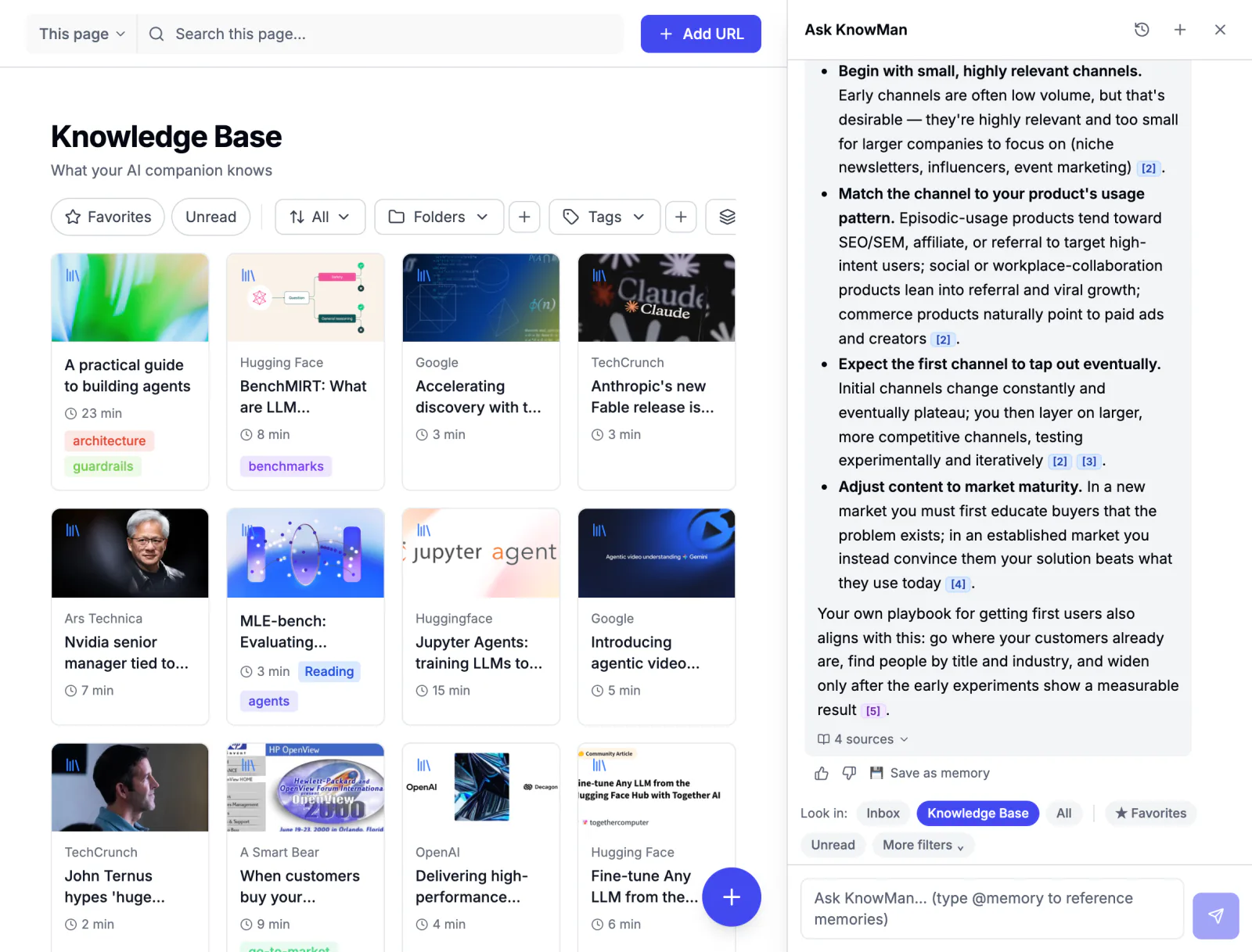
KnowMan with the Ask panel open beside the Knowledge Base, answering from saved articles with numbered citations.